Thermostat Hold vs Schedule in a Mild California Fall: What Changes at Home?
Hold and Schedule change the thermostat’s instruction. They do not promise a specific runtime, temperature recovery, or utility result.

Owner & Lead HVAC Technician, Alex Air & Heating · EPA 608 Universal Certified · Ontario, CA

TL;DR
Hold and Schedule change what a thermostat is asking for, not a promise that equipment will instantly reach a temperature or use a fixed amount of energy. A schedule repeats settings at selected times. A temporary Hold commonly lasts until the next scheduled change or a chosen end time; a permanent Hold commonly stays until cleared. Labels vary, so compare your model’s screen, mode, and normal routine before changing several settings.
- A schedule repeats planned setpoints; a Hold temporarily or continuously overrides that plan, depending on the model.
- The thermostat display is a control request, not proof that heating or cooling is running exactly as expected.
- During mild fall weather, change one control choice at a time and compare it with when people are actually home.
On this page
Quick answer: Hold overrides a plan; Schedule repeats one
Schedule is the repeating plan. Hold tells many thermostats to use a different setpoint for a period of time, but whether it ends at the next schedule period, at a selected time, or only when you clear it depends on the model. In a mild California fall, start with when your household is home, the mode selected, and the comfort you actually notice—not a promised bill result.
How temporary Hold, permanent Hold, and Schedule differ
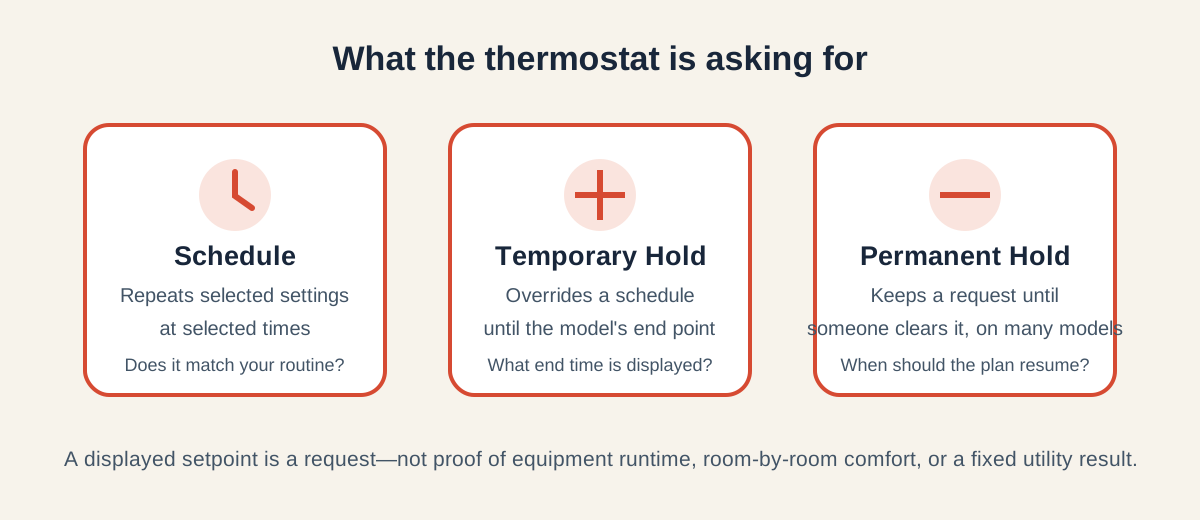
A schedule can repeat different settings for waking, away, home, or sleep periods. A temporary Hold usually interrupts that plan until a later schedule event or an end time. A permanent Hold generally keeps the requested setting until someone cancels it. Exact names and buttons differ, so use the manufacturer instructions for the installed thermostat rather than assuming a label works the same on every model.
| Control choice | What it changes | Useful question |
|---|---|---|
| Schedule | Repeats selected settings at selected times | Does the plan match when people are normally home? |
| Temporary Hold | Overrides a schedule until a model-defined end point | Does this model show an end time or the next scheduled change? |
| Permanent Hold | Keeps a requested setting until cleared on many models | Who will clear it, and when should the usual plan resume? |

A mild-fall comparison that starts with your household routine
Pick a normal week and identify the times people are home, away, or sleeping. Confirm whether the thermostat is in Heat, Cool, or an Auto mode your system supports. Change one choice, then notice whether the room feels as expected and whether the next scheduled time takes effect. A screen showing a setpoint is not, by itself, proof that the equipment has started, that every room will match, or that recovery will happen at a fixed rate.
When the display and equipment behavior need a closer look
If the display, schedule, or mode is confusing, record the model, mode, time, requested temperature, and what the home did. If comfort does not follow a normal request, avoid repeatedly changing settings to chase it; arrange a conversation about smart thermostat installation. See Vacation Thermostat Settings for an away-from-home scenario and Is a Smart Thermostat Worth It? for a broader upgrade question.
Frequently asked questions
Many thermostats work that way, while others allow a selected end time. Read the installed model’s display or instructions before relying on it.
A Hold changes the requested setpoint. Actual operation also depends on the selected mode, indoor conditions, equipment controls and system configuration.
Use the one that matches your real routine. A schedule suits repeating days; a Hold can suit a short change. Compare one setting change at a time.
The display shows a control request and sensing location. It does not prove every room has the same condition or explain why equipment behavior changed.
Local next step
Turn this guide into a site-specific answer.
Guides explain the decision. Equipment condition, access, and safe next steps still need to match the home or business. Review the relevant service scope or request an assessment for Ontario, the Inland Empire, or East Los Angeles County. Availability depends on the current schedule.